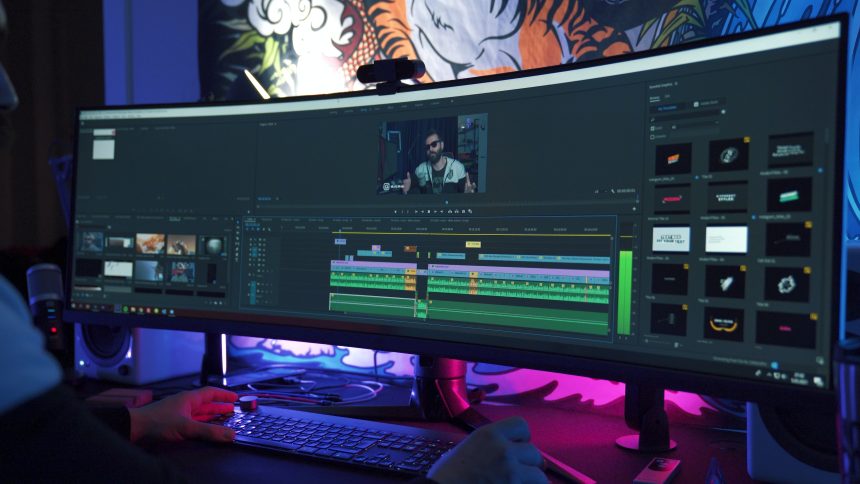
In today’s world, our smartphones are capable of performing a wide range of tasks that were once only possible on computers. One such task is video editing, which has become easier and more accessible thanks to the proliferation of high-quality camera phones. If you’re an iPhone user looking for a reliable video editing app, then you’ve come to the right place. In this article, we’ll take a closer look at four of the best video editing apps for iPhone that can help you create amazing videos with ease. Whether you want to edit family videos or produce content for your YouTube channel, these apps will give you all the tools you need to get started.
The growing importance of video editing apps
Video editing apps are becoming increasingly important as more people turn to creating video content for social media, marketing, and personal projects. With the rise of smartphones and their advanced camera capabilities, it’s easier than ever for individuals to shoot high-quality videos on-the-go. However, without the proper tools to edit and enhance these videos, they may not reach their full potential.
One of the most significant advantages of video editing apps is their accessibility. Many popular apps can be downloaded directly onto a smartphone or tablet, allowing users to edit their videos anytime and anywhere. This convenience has made it possible for everyday people to produce professional-looking videos without investing in expensive equipment or software.
Among the many video editing apps available today, four stand out as some of the best options for iPhone users. These include iMovie, Adobe Premiere Rush CC, LumaFusion, and InShot Video Editor. Each app offers unique features that make it suitable for different types of video projects and levels of expertise. From basic trimming and color correction tools to advanced audio mixing capabilities – these apps have something for everyone interested in creating compelling video content on their iPhone.
iMovie by Apple: User-friendly and versatile
iMovie by Apple is considered as one of the best video editing apps for iPhone, thanks to its user-friendly and versatile interface. The app comes with a wide range of features that allow users to create professional-looking videos with ease. With iMovie, you can add different types of media files such as photos, music, and videos to your project timeline.
The app also offers a variety of tools such as filters, effects, and transitions that you can use to enhance the visual appeal of your video. Moreover, iMovie allows you to trim or split clips, adjust audio levels, and even add animated titles and credits. One standout feature is the ability to easily share your finished project directly from the app on social media platforms like Facebook or YouTube.
Overall, if you’re looking for a powerful yet easy-to-use video editing tool for your iPhone device iMovie by Apple could be an excellent choice. Whether you are creating content for personal use or for business purposes it’s definitely worth giving this app a try!
Adobe Premiere Rush: Professional-grade features
Adobe Premiere Rush is a video editing app that offers professional-grade features for users. The app allows users to edit videos with precision, using its powerful editing tools and intuitive interface. With its multi-track timeline, users can add multiple audio tracks and video clips to create high-quality videos.
One of the key features of Adobe Premiere Rush is its built-in camera functionality, which lets users capture high-quality videos directly from the app. The app also offers advanced color correction tools, motion graphics templates, and audio mixing capabilities to enhance the visual appeal of your video content.
In addition to these advanced features, Adobe Premiere Rush also provides seamless integration with other Adobe Creative Cloud apps like Photoshop and After Effects. This makes it easier for professionals to create stunning video content without having to switch between multiple applications. Overall, Adobe Premiere Rush is an excellent choice for those looking for pro-level video editing features on their iPhone devices.
Quik by GoPro: Automatic video editing
Quik by GoPro is an automatic video editing app that simplifies the tedious and time-consuming process of editing videos. With just a few taps, Quik analyzes your footage to find the best moments and edits them together into a polished video with transitions, music, and effects. It’s perfect for users who want professional-looking videos without having to spend hours manually editing them.
One of the standout features of Quik is its ability to sync with your GoPro camera or phone gallery, making it easy to import footage directly into the app. Additionally, Quik offers a wide range of customization options such as choosing different themes, fonts, filters, and aspect ratios. Users can also adjust the speed of their clips or add text overlays for a more personalized touch.
Overall, Quik by GoPro is an excellent choice for anyone looking to create engaging videos quickly and effortlessly. Its intuitive interface and powerful features make it one of the best video editing apps available for iPhone users today. And with frequent updates adding new features and improving performance, it’s clear that GoPro is committed to providing its users with a high-quality editing experience.
Splice by GoPro: Advanced customization options
Splice by GoPro offers advanced customization options that allow users to edit their videos with precision and creativity. Users can choose from a variety of professional filters, transitions, and text overlays to enhance their footage and create unique compositions. The app also features a powerful audio editor that lets users adjust volume levels, add sound effects, or mix multiple audio tracks.
One of the standout features of Splice is its ability to support multi-layer editing. This means that users can layer multiple video clips on top of each other and adjust the size, position, and opacity of each layer independently. This opens up endless creative possibilities for users who want to experiment with different visual effects or styles.
Moreover, Splice allows users to export their videos in various resolutions up to 4K quality. With this level of flexibility, users can easily share their creations on social media or upload them to online platforms without any loss in quality. Overall, Splice by GoPro provides an excellent tool for iPhone video editors looking for advanced customization options and professional-grade features all in one app.
Conclusion: Choosing the best app for your needs
In conclusion, choosing the best video editing app for your needs depends on various factors. Firstly, it is essential to determine your level of expertise in video editing. If you are a beginner, it is advisable to go for apps that are user-friendly and easy to navigate.
Secondly, consider the features that come with the app. Some apps have basic features, while others offer advanced editing tools such as color grading and special effects. Ensure that you choose an app with features that align with your editing goals.
Lastly, take into account the cost of the app and its compatibility with your device. While some apps may be free to use, they may lack certain features or limit access to premium content. It would be best if you also considered whether the app is compatible with your device’s operating system.
Ultimately, selecting a video editing app boils down to personal preference and individual needs. Before settling on one particular app, do thorough research by reading reviews from other users or seeking recommendations from friends who have experience using these apps.