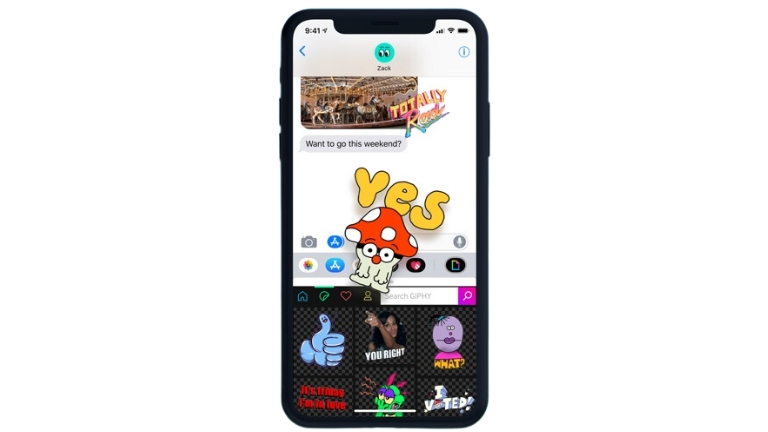
Do you want to send cool animated pictures called GIFs in Facebook Messenger? It’s super easy! GIFs are like short movies that show different emotions and can make your chats more fun.
In this article, we’ll show you how to send GIFs in Facebook Messenger, step by step. Let’s get started!
Facebook Messenger is a chat app that lets you talk to your friends. Sometimes, words alone are not enough to express your feelings.
That’s where GIFs come in! GIFs are like moving pictures that can show how you feel or make your message more exciting.
What are GIFs?
GIFs are short videos that play on a loop. They are popular on the internet and social media. GIFs can be funny, cute, or show different reactions and emotions. They add a special touch to your conversations.
Adding the GIFs Button
To send GIFs in Facebook Messenger, you need to have the GIFs button turned on. Here’s how you can do it:
- Open the Facebook Messenger app on your phone or tablet.
- Open a chat with your friend.
- Tap the space where you write messages to open the keyboard.
- Look for a “+” sign next to the space where you write.
- Scroll through the options and find the “GIF” button. Tap it to turn on GIFs.
Searching for GIFs
Now that you have the GIFs button, you can search for cool GIFs to send. Here’s what you do:
- Open a chat on Facebook Messenger.
- Tap the space where you write messages to open the keyboard.
- Tap the GIF button you turned on earlier.
- You will see a bunch of popular GIFs. You can look through them or search for something specific.
- Type keywords like “happy,” “funny,” or “cat” to find the GIF you want.
- Tap a GIF to see it bigger.
Sending GIFs
Once you’ve found the perfect GIF, it’s time to send it. Follow these steps:
- Tap the GIF you like.
- The GIF will appear in the space where you write messages.
- If you want, you can write a message with the GIF.
- Tap the button to send the GIF.
Sharing GIFs from Other Apps
You can also share GIFs from other apps or websites. Here’s how:
- Find a GIF you want to share in another app or on a website.
- Tap and hold the GIF.
- Look for the option to share the GIF.
- Choose Facebook Messenger from the options.
- Select the chat or friend you want to send the GIF to.
- You can write a message if you like.
- Tap the button to send the GIF.
Customizing GIFs
Facebook Messenger lets you change the GIFs before you send them. Here’s how you can do it:
- Tap the GIF you want to send.
- There will be a bar at the bottom of the screen. Slide it to change how long the GIF plays.
- You can also add words, stickers, or drawings to the GIF if you want.
- When you’re done, tap the button to send the customized GIF.
Conclusion
Now you know how to send GIFs in Facebook Messenger! It’s a fun and easy way to make your chats more exciting. Just remember to turn on the GIFs button, search for the perfect GIF, and send it to your friends. Have fun!